Google Sheets and routine process automation
Scripts pull data from your services, fill in sheets, build reports and send notifications.
People stop copying numbers by hand.
Every Monday our accountant spends two hours merging exports from three systems into one sheet.
Website requests arrive by email, and then someone copies them into a sheet by hand.
Our sheet has forty tabs and formulas nobody dares to touch.
What we build
Data collection
From a CRM, marketplaces, ad accounts, email and forms straight into the sheet.
Scheduled reports
A daily or weekly summary goes to Telegram or email.
Data checks
The script finds duplicates, empty fields and wrong totals.
Documents from templates
Invoices, certificates and contracts in Google Docs or PDF.
Lighter sheets
Heavy formulas move into a script, and the sheet stops lagging.
Connected services
A file arrives by email, lands in a Drive folder, and the right person gets a notification.
What it looks like
There is no separate spreadsheet demo. The closest one is Brovka: its server collects data from many sources on a schedule, cleans it and serves it ready to use. Spreadsheet automation works the same way, the result just lands in Google Sheets.
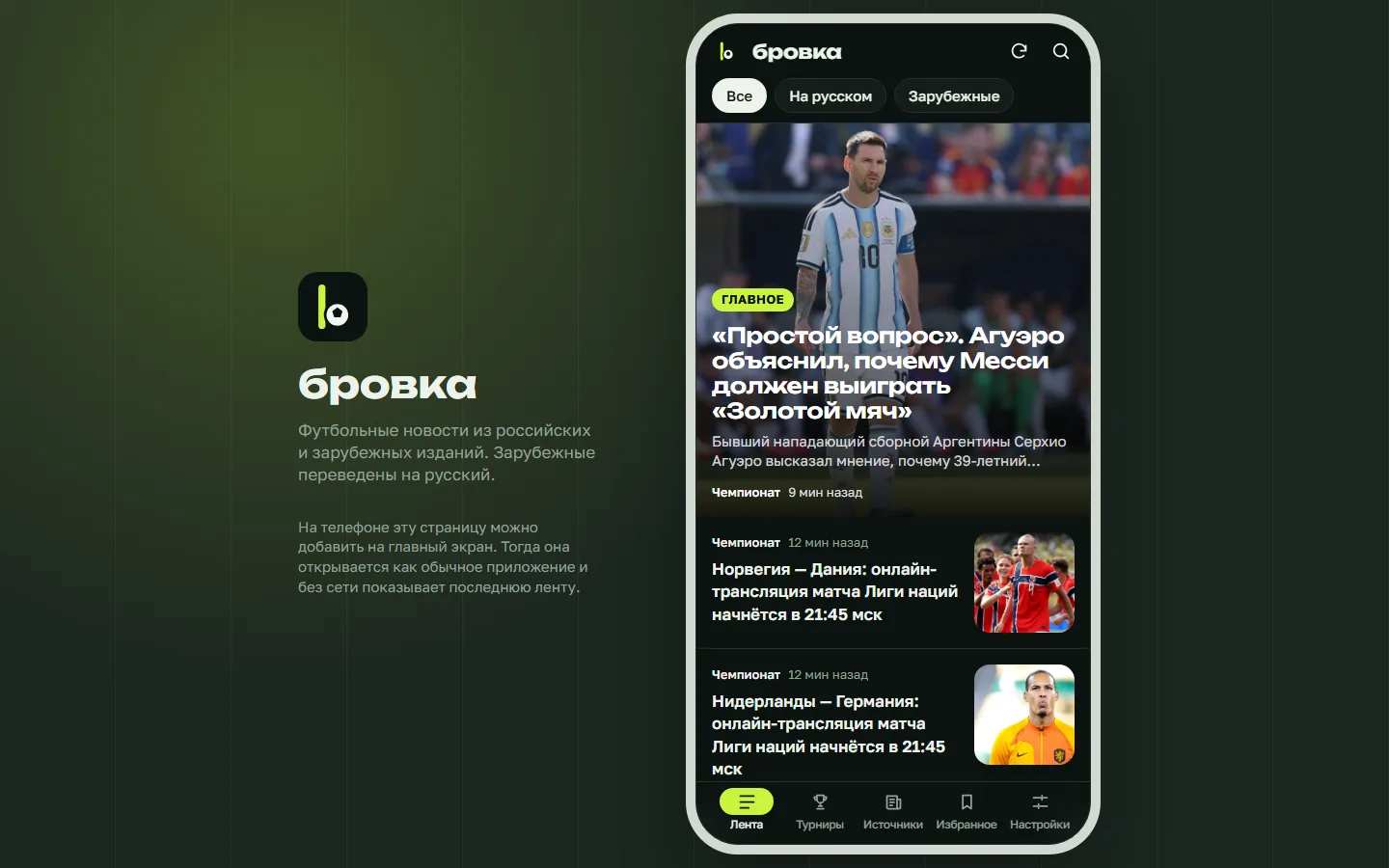
Mobile app
Brovka
Football news from twelve Russian and international outlets in one feed. Foreign stories are translated into Russian automatically.
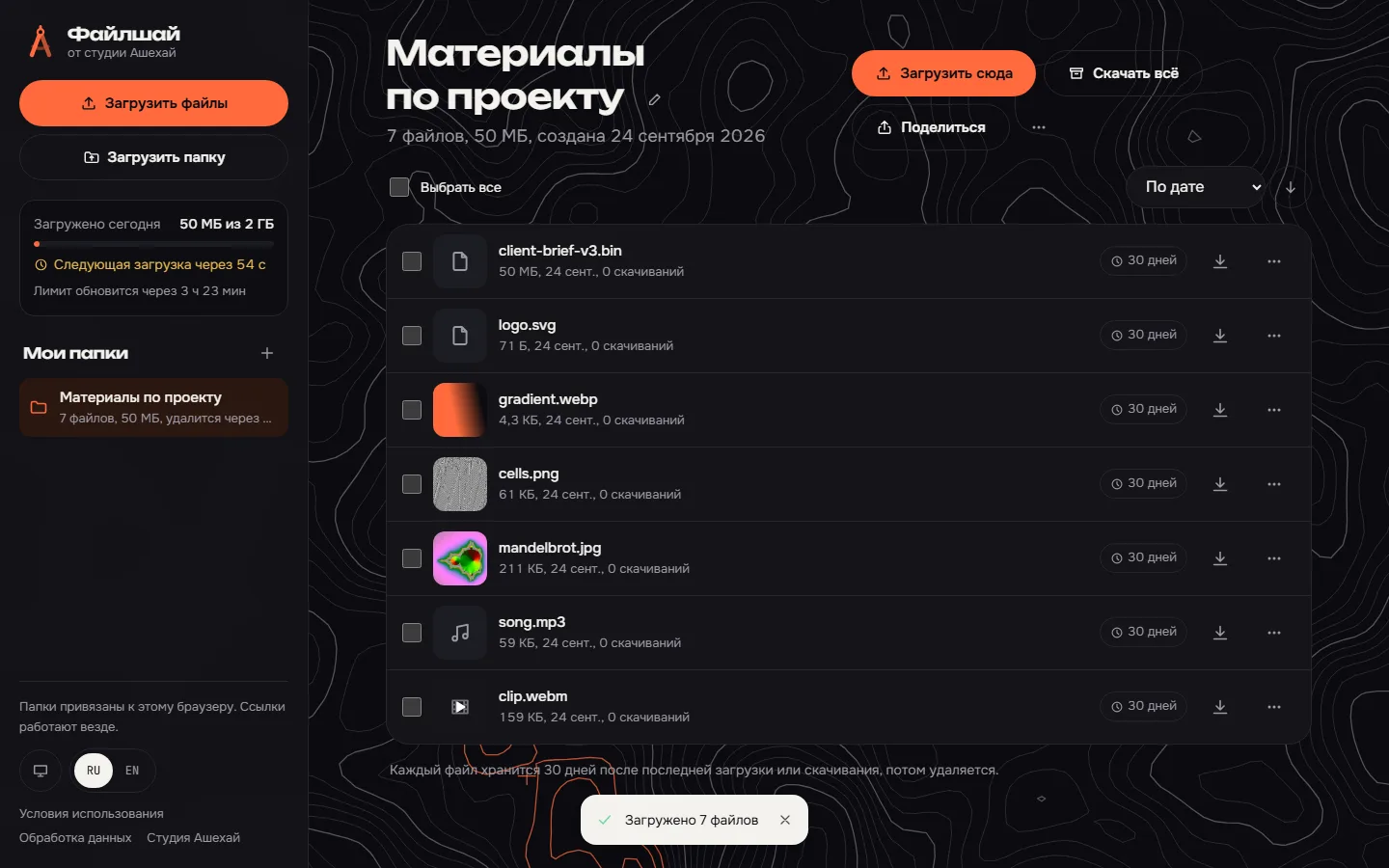
File sharing service
Fileshai
Our own file sharing service: upload files, get a link to the folder. Photos, video and music open right in the browser.
Price and timeline
Cost
Automating a process
One process: data collection, processing, a report or a notification
from $150
Small scripts
Hourly, when the task takes a few hours
$20 /h
Timeline
Demo in 1 week, launch in 1-3 weeks
Prices are a guide. We name the exact amount after a conversation and fix it before we start.
How we work
-
Payment after the demo
We invoice once we show a demo with about 40% of the functionality done.
-
We do the estimate
We assess the complexity and the progress ourselves and explain how we counted.
-
A month of free fixes
For a month after launch we fix small things for free, as long as they add no new features.
-
Your code, your access
You get the source code and access to the server, the bot and the admin panel. Nothing ties you to us.
Questions
Apps Script or a separate server?
If Google quotas are enough and the logic is simple, we write Apps Script right in the sheet, and no server is needed. With many requests, external APIs or heavy processing, the logic moves to a Python service and the sheet stays the interface.
Do you need access to our Google account?
Access to specific sheets and folders is enough. For server scripts we create a service account that sees only the files it needs.
What if an export from a third-party service breaks?
The script logs the error and sends a notification, so you never work with stale numbers.
Do you automate only spreadsheets?
No. Routine actions on websites and in apps too: filling in forms, exports from personal accounts, sorting email.
Tell us about the task
In your own words, no spec needed. We reply within a working day with a price.
Discuss a project