PWA: a website that installs on a phone
The website installs on a phone like an app: an icon on the home screen, no address bar, works offline.
No App Store, no Google Play.
We want an app, but building for iOS and Android separately costs too much.
App Store review takes weeks, and we need to update often.
Clients open our website on their phone every day and hunt for it in bookmarks each time.
What we build
Install from the browser
An icon on the Android and iOS home screen, no app stores.
Works offline
The last loaded data stays available without a connection.
Push notifications
On Android right away, on iPhone from iOS 16.4 once added to the home screen.
App interface
Tabs, swipes, a dark theme, no address bar.
Updates without review
You publish a new version, users get it on the next launch.
One codebase
The same code for phones and computers.
What it looks like
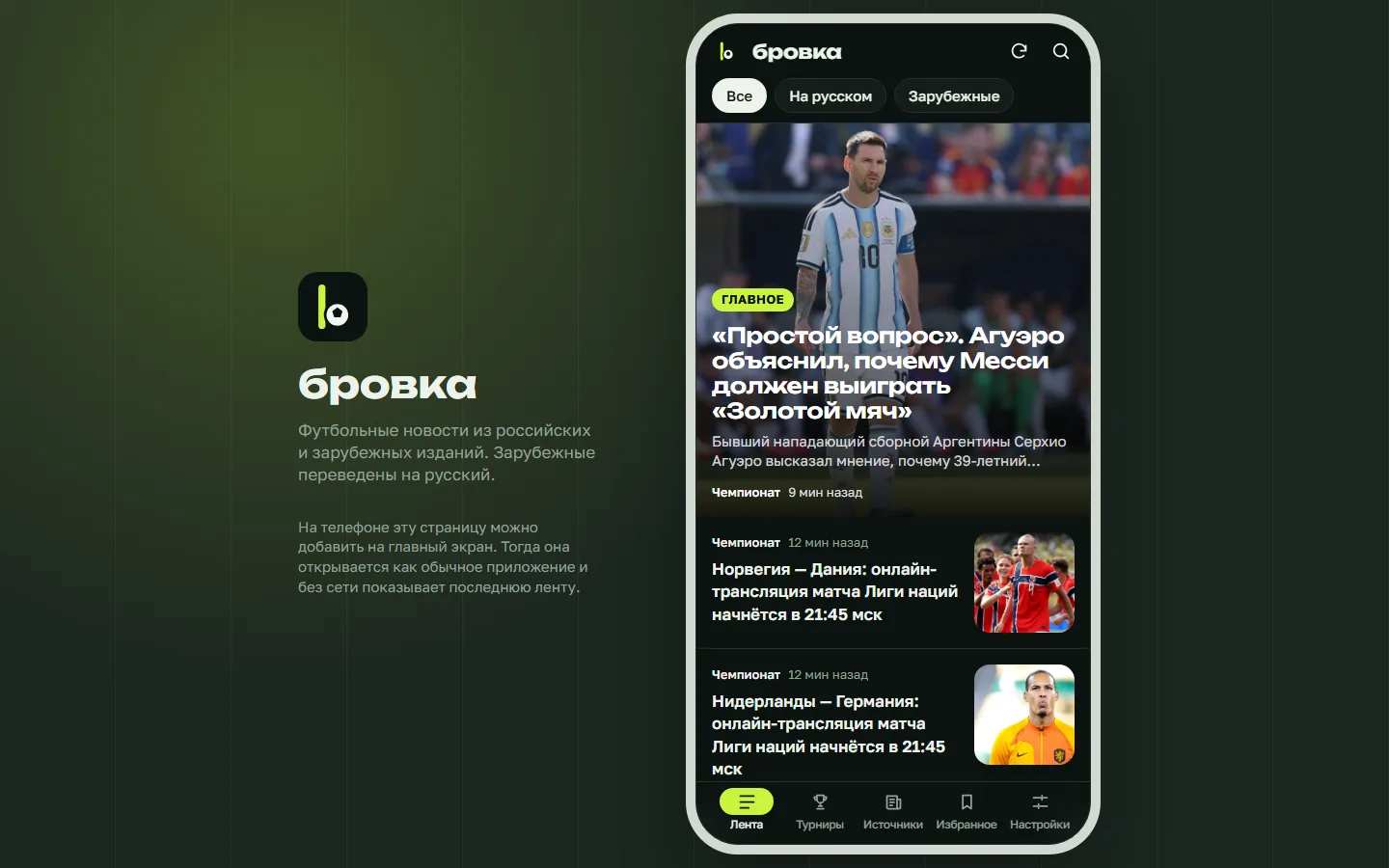
Brovka installs on a phone from the browser and opens without a connection. Inside: a news feed with automatic translation, tabs, swipes and a dark theme.
Price and timeline
Cost
PWA without a backend
A catalogue, a reference or a storefront with offline mode
from $190
PWA with a server
User accounts, a database, notifications, an admin panel
from $1,100
Timeline
Demo in 2 weeks, launch in 3-6 weeks
Prices are a guide. We name the exact amount after a conversation and fix it before we start.
How we work
-
Payment after the demo
We invoice once we show a demo with about 40% of the functionality done.
-
We do the estimate
We assess the complexity and the progress ourselves and explain how we counted.
-
A month of free fixes
For a month after launch we fix small things for free, as long as they add no new features.
-
Your code, your access
You get the source code and access to the server, the bot and the admin panel. Nothing ties you to us.
Questions
What can a PWA not do compared to a native app?
Some phone features are out of reach: Bluetooth on iPhone, widgets and deep system integration, for example. If your app needs them, a PWA is the wrong choice, and we will say so.
Can a PWA go to Google Play?
Yes, through a Trusted Web Activity. The App Store does not work that way: Apple requires a native wrapper and reviews such apps more strictly.
Do push notifications work on iPhone?
Yes, from iOS 16.4, once the user adds the app to the home screen.
How much space does it take on a phone?
Usually a few megabytes: the code and a cache of recent data.
Tell us about the task
In your own words, no spec needed. We reply within a working day with a price.
Discuss a project